One human capture.
Any robot.
DXTR turns a phone recording of a person doing a task into motion trajectories a robot can execute — recovered as the task's object motion, then re-solved for each robot body.
Playground: every capture, every robot, the outcomes · Story: one capture, start to finish · Paper: the method and its evidence
- Human captureone phone recording of the task
- Object trajectorythe path the object took — the real task
- Any roboteach body re-solves the motion for itself
One demonstration becomes the object's motion. Then every robot — a two-finger gripper, a humanoid hand, a mobile base — re-solves its own way to move the object along that same path.
From a phone to any arm, in three moves
A collector records the task once. Everything downstream works from the geometry of what happened, not from a specific pair of hands.
Capture
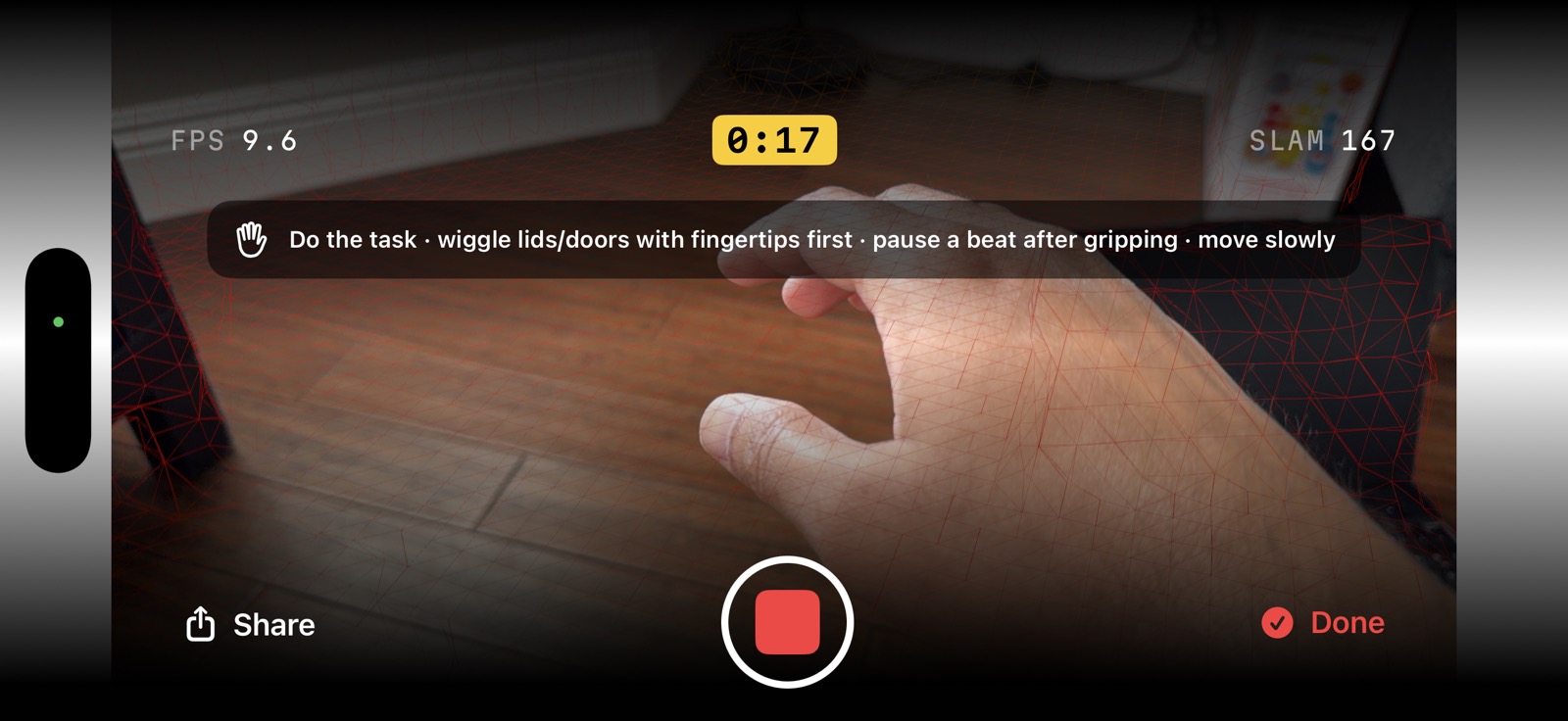
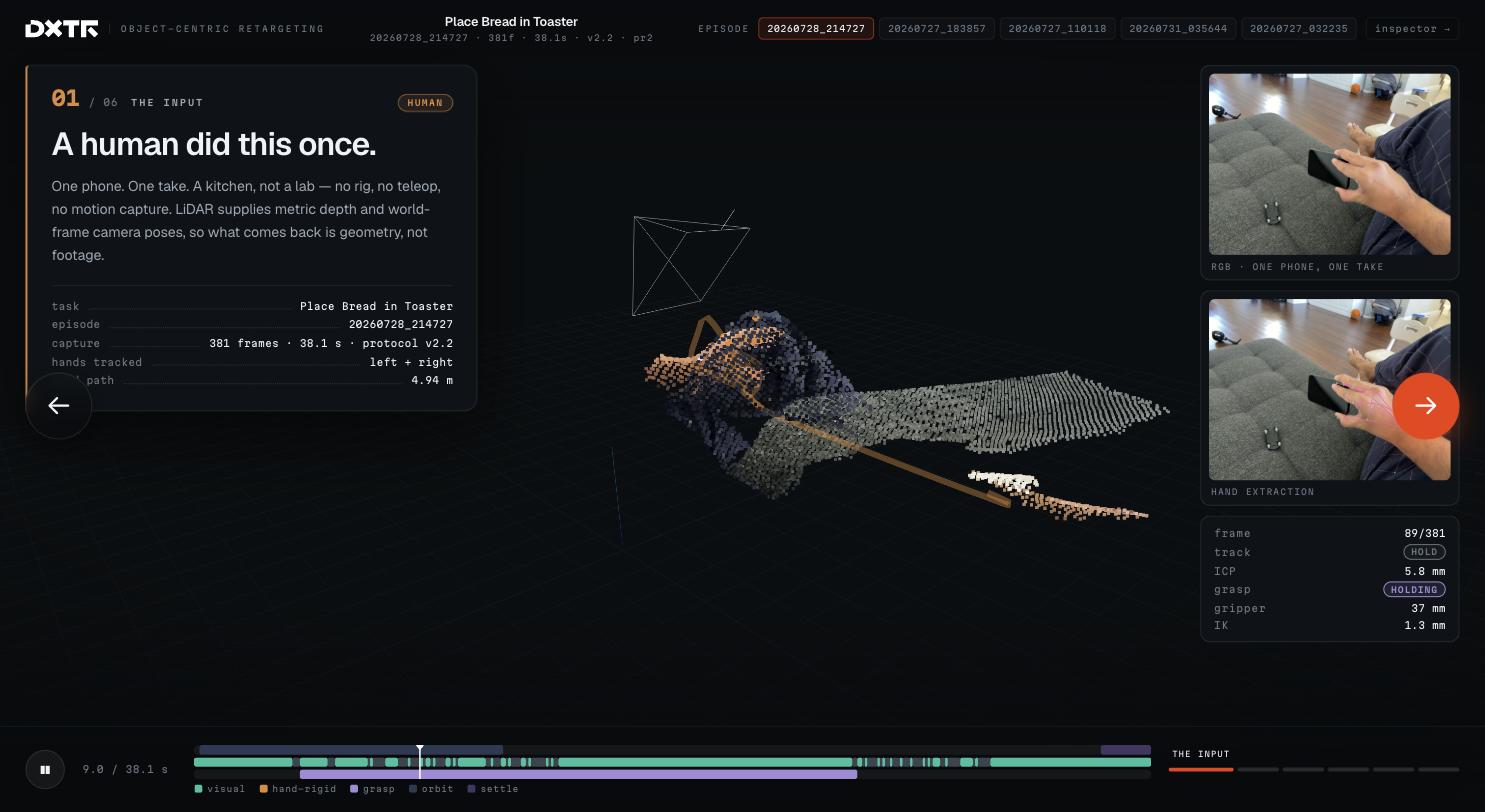
Eye records RGB video, per-frame LiDAR depth and ARKit camera pose while a person does the task, eyes-free.
rgb 1920×1440 · lidar depth · arkit poses
Object trajectory
We recover the object's 3D path through the task — the goal to reproduce — with grasp points on the reconstructed geometry.
se(3) track · grasp
Retarget
Each robot re-solves its own joint motion to induce that object trajectory — and its own grasp, on the bodies whose gripper closure we can score. Inverse kinematics per embodiment, not a copied hand.
per-robot ik · feasibility · export
Why object-centric
The naive approachCopying the hand doesn't survive a change of body
A human hand has five fingers and a reach and wrist a robot doesn't share. Replay those joint angles on a two-finger gripper or a short-reach arm and it grasps air, over-extends, or has to be silently rescaled until the demonstration no longer means what it did. The failure isn't noise; it's that the wrong thing was recorded as the goal.
The contractThe object's trajectory is what has to transfer
What the task actually requires is that the object move along a certain path — the mug lifts, the bottle pours, the box lands on the shelf. That trajectory is body-agnostic: it's the same whether a Franka, a UR5e or a humanoid produces it. Store the object motion as the goal (with tolerance), and each robot is free to find its own way to satisfy it. Gripper width comes from the object's geometry at the grasp, not from mapping fingers.
One capture, any robot body
The clip on the left is the human capture. The other six are what came out of it — each robot re-solving the same manipulation on the same reconstructed object, and choosing its own grasp where its gripper closure is one we score. Apollo has no actuated gripper and refuses on that ground; the G1’s three-finger Dex3 closes but its closure is not yet scorable, so both are scored on arm motion. Nothing is re-recorded per robot and the object is never rescaled to make a body fit. Seven is the public playground fleet; the registry retargets eight bodies, and SO-101 — the first five-DoF arm — is in the paper’s record and not yet on the playground.
Apollo is not shown on this capture: the public model's Ability Hand has no actuated fingers, so its carry cannot be a checked grasp. It is still solved, scored and counted in the fleet result below.
myCobot takes the edge pinch a person makes on a flat phone: jaws across the 1.4 cm thickness, coming in from the side. It is the only grasp in the fleet that is not a top-down grip, and the only one this arm's 4.5 cm stroke leaves it. In a rigid simulation the lower jaw presses 46 mm into the support the phone rests on, so the certificate refuses the carry and the tile is shown refusing. That is the result, not a rendering fault.
Object, hand, or both?
The field has mostly answered “how do robots learn from human video” in one of two ways. Copy the hand: track the wrist and fingers and replay them on the robot — the lineage of teleoperation retargeting (DexPilot, AnyTeleop) and egocentric imitation (EgoMimic, EgoDex, and gripper-shaped rigs such as UMI). What is recorded is a human wrist and finger pose, so a mapping step has to turn five fingers into whatever the target body has, and a wrist path recorded from a human arm into one that arm can reach. Copy the object: track what the object did and let each robot choose its own grasp and path to reproduce it — keypoint- and affordance-centric methods, and the contract at the core of DXTR. It transfers across bodies and is checkable in physics, but it is blind to everything that happens when nothing is moving: a press, a wipe, a reach to a switch. Neither is the whole answer. Object where there is an object, hand where there isn't — with each frame labelled by which contract it obeys and checked accordingly — is what makes a single phone capture usable across a fleet. Tick the boxes below and watch the same capture under each rule.
Choose what the robot copies. Tick more than one to compare the same capture side by side.
Object only
3/7 robots pass · 104.5 VRM/h · object track p95 3.6 mmtask passes
Object contract on every frame: the object’s path is the target; what the hand did between grasps is ignored.
VRM/h — robot-minutes that pass, per capture hour: minutes of contract-passing robot motion, checked in simulation, minted per hour of phone capture, summed across the fleet. VIM/h — imitation minutes that pass: the hand-path counterpart, scored against an end-effector tube rather than the object's, so it claims wrist-tracking fidelity and nothing about task success. They are different units and are never added together — which is why the hand panel reads “motion passes” and never “task passes”. Today the denominator is a single capture's own duration, so read both as per-capture rates.
Real tasks pass the contract between objects like a baton. Toasting bread runs three legs: the bread moves through the world, the bread moves in the toaster's frame, then the toaster's lever takes the handoff. Each leg names the object that matters and the frame it moves in — which is what lets an episode transfer to a kitchen where the toaster sits somewhere else. A tool is just a longer baton: a screwdriver runs the screw's leg. Today's episodes ship the single-leg case; multi-leg relays ride the same certificate machinery as the next tier.
The captures worth studying — the passes and the ones that did not
The playground carries the captures that matter: the strongest passes and the most instructive failures, each checked against every body the fleet loads today — a new robot is a body file, not a new pipeline. Every outcome that is not a pass names the constraint that robot could not meet, and says which kind it was — a refusal before the robot moved, or a failure in replay after it did. Most of today’s non-passing outcomes are the second kind, which is the worse one. The rest of the corpus is listed by outcome. Where a robot passed, its LeRobot dataset is there to download.
What's real today
The full collection loop — push, accept, eyes-free capture, upload, automatic scoring, review, approve, credit — runs end to end in production, on a real phone. We retarget across eight robot embodiments — each keeping its arm clear of the reconstructed scene, and each choosing its own grasp where the body has a gripper whose closure we score (Apollo has no actuated gripper and refuses on that ground; the G1’s Dex3 closure is not yet scorable) — and replay every result in simulation against the object's tolerance tube: it passes, or it ships an explicit infeasibility certificate instead. Pass, fail or refused, at one stated bar — kinematic feasibility · ±50 mm / ±15° · in simulation, with the frozen strict reference class (±10 mm / ±5°) reported beside it per capture on the playground. Nothing on this site ran on hardware. The data ships training-ready, in standard LeRobot and MCAP formats. Articulated objects and bimanual/mobile-base support are the next tiers on the same certificate machinery.
How DXTR works, end to end
A task goes out to the fleet, a person records it on a phone, and the platform turns that one take into robot-ready motion, checked in simulation — with dashboards running the whole operation alongside.
Define & broadcast
A customer describes a manipulation task in the portal — optionally AI-drafted — and broadcasts it to approved collectors.
Record on a phone
The collector gets a push, accepts, mounts the phone, and records the scene eyes-free. The take uploads on its own — resumable, over Wi-Fi.
Score, retarget, check
Automatic quality scoring, then object-centric retargeting — each robot re-solves its own joint motion, keeps clear of the scene, and picks its own grasp where its gripper closure is scorable — then a physics-simulation check that the object actually followed its path.
Visualize or take it training-ready
Play it back in the 3D viewer, or take the data ready to train on — LeRobot for policy learning, MCAP for raw multimodal, or robot-ready trajectories straight from the keyed API.
Already collecting. Already retargeting.
The full loop runs in production today. Collectors record tasks eyes-free on a phone, episodes come back automatically scored, customers review and approve, and the data ships robot-ready — with a 3D viewer that plays the retargeted motion back on every robot. A keyed public API drives all of it from a script. The take report below is a refused take, deliberately: the gate that stops a bad recording on the phone is the same principle as the certificate that stops a bad trajectory in simulation, and it is worth showing it working.
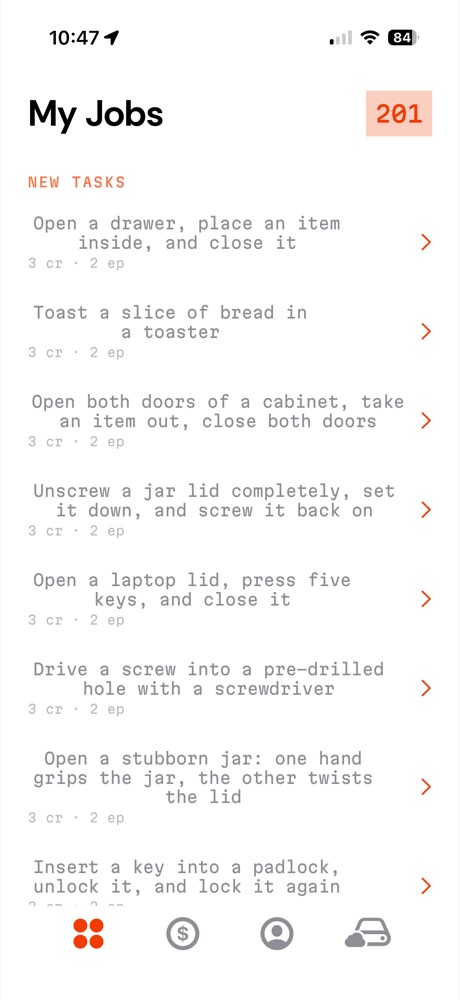
tasks pushed to the fleet
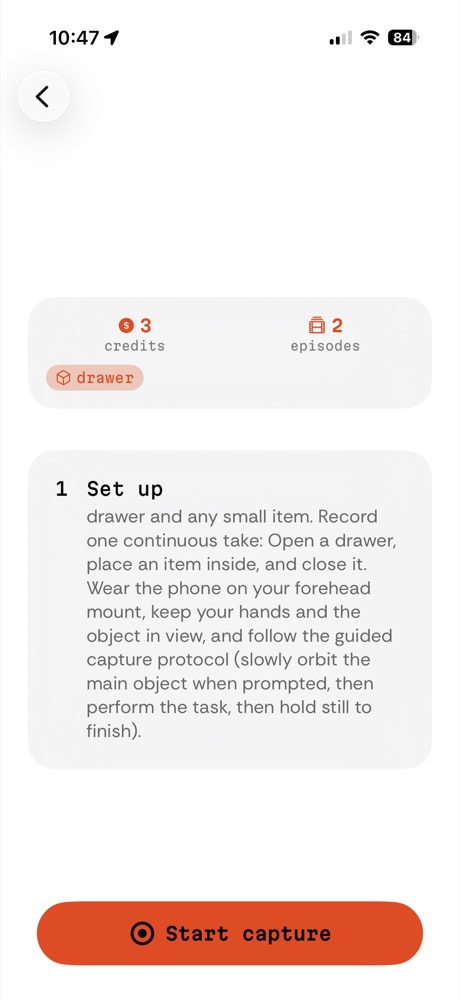
and set up the capture
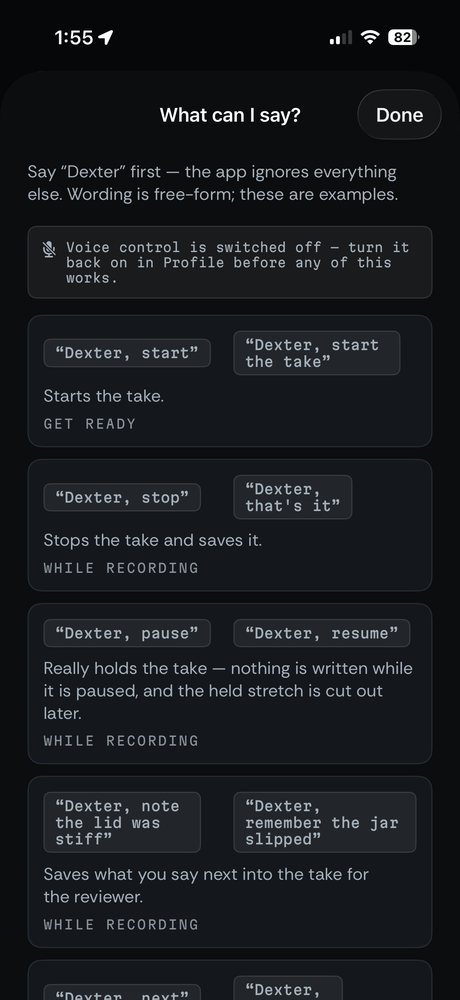
eyes-free, by voice
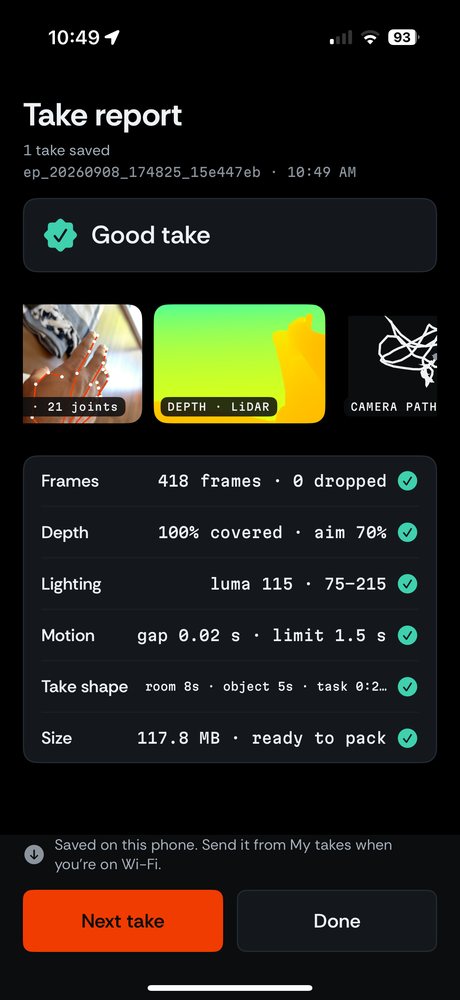
hand pose, depth and camera path scored on the phone
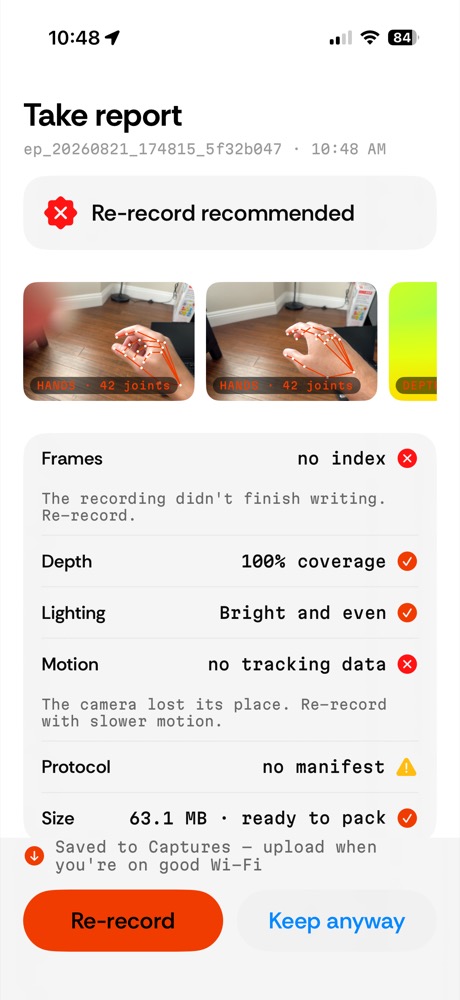
and refuse a bad take before it costs an upload
Two ways to work with DXTR
Record with the Eye app
Mount an iPhone at eye level, accept a task, and record hands-free — audio coaching and simple hand gestures run each take, so you never touch the screen mid-demonstration. Approved takes earn credits.
- Eyes-free, forehead-mounted capture
- Automatic quality scoring on every take
- Built-in practice task, no invite needed
Requires an iPhone Pro / Pro Max with LiDAR.
License the pipeline or the datasets
For robotics labs and data teams: retargeted trajectories for your embodiment, or the pipeline that produces them from a human capture. Tell us the robot and the tasks and we'll scope a capture.
- Ships training-ready — LeRobot (pi0 · ACT · Diffusion Policy) and MCAP (Foxglove)
- Collision-checked, true-scale trajectories, each checked in simulation — pass, fail or refused
- Object-goal representation, not raw hand replay
- Pseudonymous — no collector identity in datasets
Email the team — srikanth@dxtr.co
Questions people actually ask
Short answers, in the same terms the pipeline uses. Longer ones live on the full FAQ.
What is object-centric retargeting?
Object-centric retargeting treats the object’s 6-DoF trajectory as the goal of a demonstration, not the human’s joint angles. From one phone capture DXTR recovers the path the object took through the task, and then each robot solves its own grasp and its own joint motion to move that object along that same path. The object is never rescaled to make a body fit.
How is this different from teleoperation?
Teleoperation records one specific robot being driven by a person, so the episode is bound to that robot and costs an operator’s time per episode. DXTR records a person doing the task with their own hands on a phone, and re-solves the result per robot body — one capture yields trajectories for every embodiment in the registry. The trade is honest: teleoperation gets feasibility for free because a real robot did the motion, while DXTR has to recover the geometry and then prove feasibility in simulation before anything ships.
Which robots does DXTR support?
Eight embodiments are retargeted today: Franka Panda, UR5e, PR2, MyCobot 280, Unitree G1, Apptronik Apollo, Fanuc LR Mate 200iD and SO-101. Seven of them make up the public playground fleet; SO-101, the first five-DoF arm in the registry, is in the paper’s record and not yet on the playground. Every body keeps its arm clear of the reconstructed scene, and a body with an actuated, scorable gripper also chooses its own grasp on the reconstructed object. Two do not: Apollo has no actuated gripper and refuses with no_actuated_gripper, and the Unitree G1’s three-finger Dex3 closes but its closure is not yet scorable, so both are scored on arm motion alone. Adding a robot means adding a URDF and a gripper spec to the registry — it does not mean re-collecting the data.
What does the phone actually record?
The DXTR Eye iOS app records RGB video at 1920×1440, per-frame LiDAR depth, and ARKit camera pose while a person performs the task. It runs eyes-free: audio coaching and simple hand gestures start, stop and cancel each take, so the collector never touches the screen mid-demonstration. It requires an iPhone Pro or Pro Max (or an iPad Pro) with a LiDAR sensor.
What does “pass, fail or refused” mean?
Every retargeted episode is replayed in simulation against the object’s tolerance tube before it ships. If the object follows its path inside the tube, the episode passes. If it does not — the reach is short, no grasp holds across the whole contact interval, the arm cannot clear the scene — the episode ships an explicit infeasibility certificate naming the sub-interval and what blocked it, instead of a silently rescaled trajectory that looks clean and is not. This is checked in simulation at the kinematic tier: pass, fail or refused, each with its reason. Not every non-pass is the same, and the playground counts the two kinds separately rather than pooling them. A robot that refuses before it moves ships a rest pose and the named reason. A robot that attempted the task and then missed the tube ships the trajectory it produced together with the certificate saying where it left the tube — that one is a failure in replay, not a refusal, and it is the worse of the two because the system moved without knowing. Most non-passing outcomes on the playground today are the second kind.
What formats does the data ship in?
LeRobot datasets per robot — the format the pi0, ACT and Diffusion Policy stacks read — and MCAP for the raw multimodal record, which opens in Foxglove. Both are downloadable from the portal or pulled from the keyed public API at api.dxtr.co.
Who is DXTR for?
Robotics labs and data teams that need manipulation demonstrations for a particular embodiment and would rather not stand up a teleoperation rig or a capture fleet to get them. There are two ways in: record with the Eye app as a collector, or license retargeted trajectories for your robot — or the pipeline that produces them from a human capture.
How do I get data for my robot?
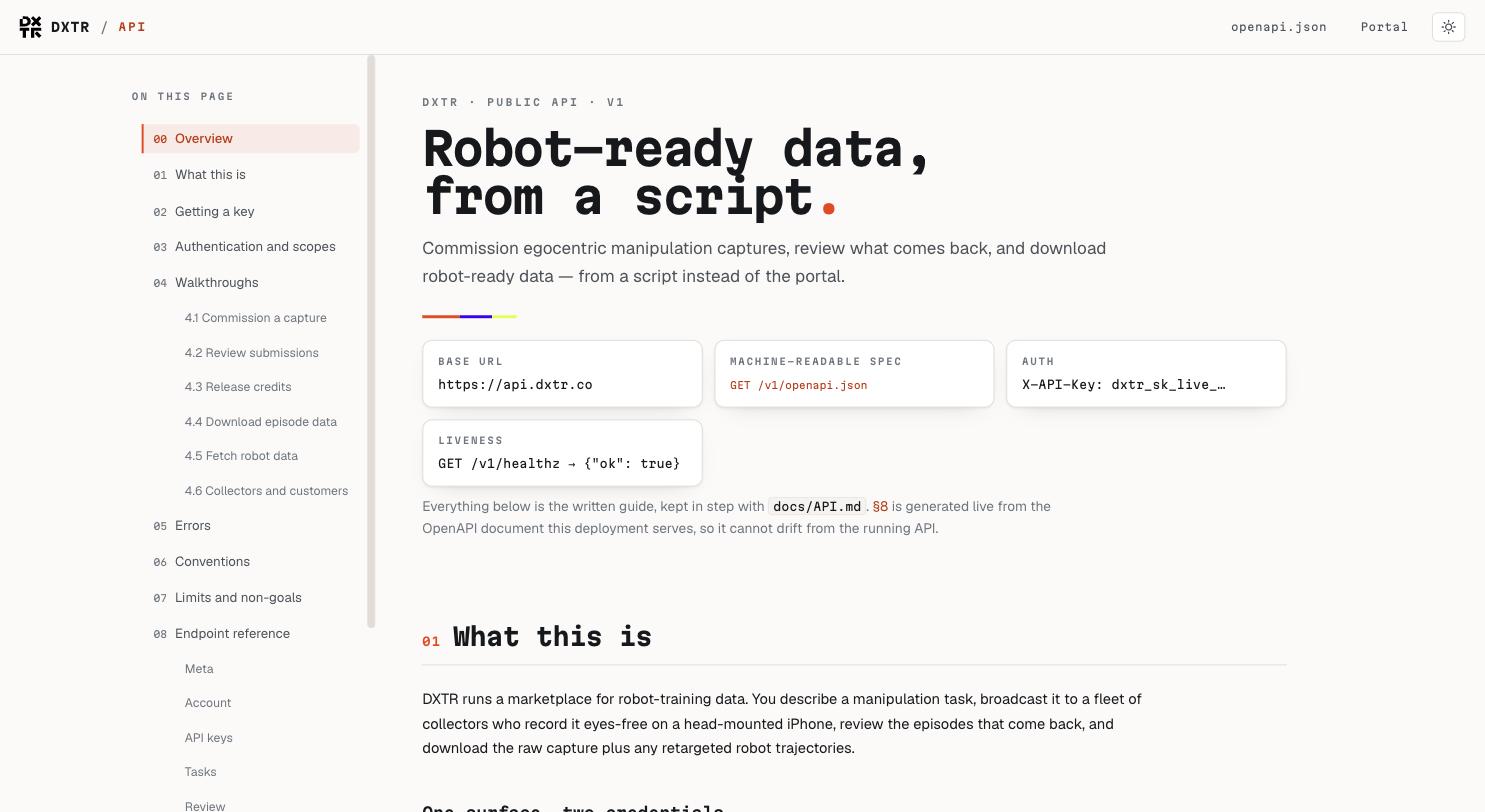
Tell us the robot and the tasks and we will scope a capture — srikanth@dxtr.co. If you would rather drive it from a script, the public API at api.dxtr.co commissions captures, reviews what comes back, and pulls robot-ready exports; the OpenAPI document is at /v1/openapi.json and the written docs are at app.dxtr.co/docs.
Going deeper: what object-centric retargeting is · robotics data collection compared · the pipeline, stage by stage.